All-in-1 Slow-Shutter Cam & Editor HD Photo-Lab PRO1.0
Publisher Description
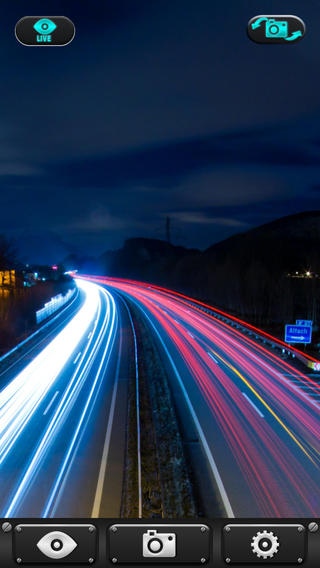
***PRO version with no ADS***
Use slow shutter control to give your photos a one-of-a-kind look.
* Light Trail Mode
* Automatic Mode
* 0.5 - 15.0 second Shutter Speed
* -100% up to 100% Freeze Controls
* 1 - 10 seconds Self-Timer
* Auto save your settings
Save to cameral roll, photo stream or share directly to Twitter and Facebook with one click of a button.
The editing lab puts control in your hands to easily take your skills to the next level
- Draw on your photo
- Add captions and text
- Red eye reduction
- Whiten
- Remove blemishes
- Enhance (backlight, night, balance, etc)
- Effects (sepia, vivid color, b&w, retro, etc)
- Add stickers
- Change orientation
- Crop your photo
- Brightness controls
- Secondary Contrast controls
- Saturation levels
- Sharpness
Try it out Now!
-------------------------------------------------------------------
Requires iOS 6.1 or later. Compatible with iPhone, iPad, and iPod touch.
About All-in-1 Slow-Shutter Cam & Editor HD Photo-Lab PRO
The company that develops All-in-1 Slow-Shutter Cam & Editor HD Photo-Lab PRO is Chubby Buddha Media LLC. The latest version released by its developer is 1.0.
To install All-in-1 Slow-Shutter Cam & Editor HD Photo-Lab PRO on your iOS device, just click the green Continue To App button above to start the installation process. The app is listed on our website since 2014-06-15 and was downloaded 2 times. We have already checked if the download link is safe, however for your own protection we recommend that you scan the downloaded app with your antivirus. Your antivirus may detect the All-in-1 Slow-Shutter Cam & Editor HD Photo-Lab PRO as malware if the download link is broken.
How to install All-in-1 Slow-Shutter Cam & Editor HD Photo-Lab PRO on your iOS device:
- Click on the Continue To App button on our website. This will redirect you to the App Store.
- Once the All-in-1 Slow-Shutter Cam & Editor HD Photo-Lab PRO is shown in the iTunes listing of your iOS device, you can start its download and installation. Tap on the GET button to the right of the app to start downloading it.
- If you are not logged-in the iOS appstore app, you'll be prompted for your your Apple ID and/or password.
- After All-in-1 Slow-Shutter Cam & Editor HD Photo-Lab PRO is downloaded, you'll see an INSTALL button to the right. Tap on it to start the actual installation of the iOS app.
- Once installation is finished you can tap on the OPEN button to start it. Its icon will also be added to your device home screen.
